
June 7, 2026
Version 0.7.0 - Release Notes
CubeForge 0.7.0 refactors the draft engine, adds browser-powered guest drafting, and rebuilds CubeForge set cubes so they are easier to create and maintain.
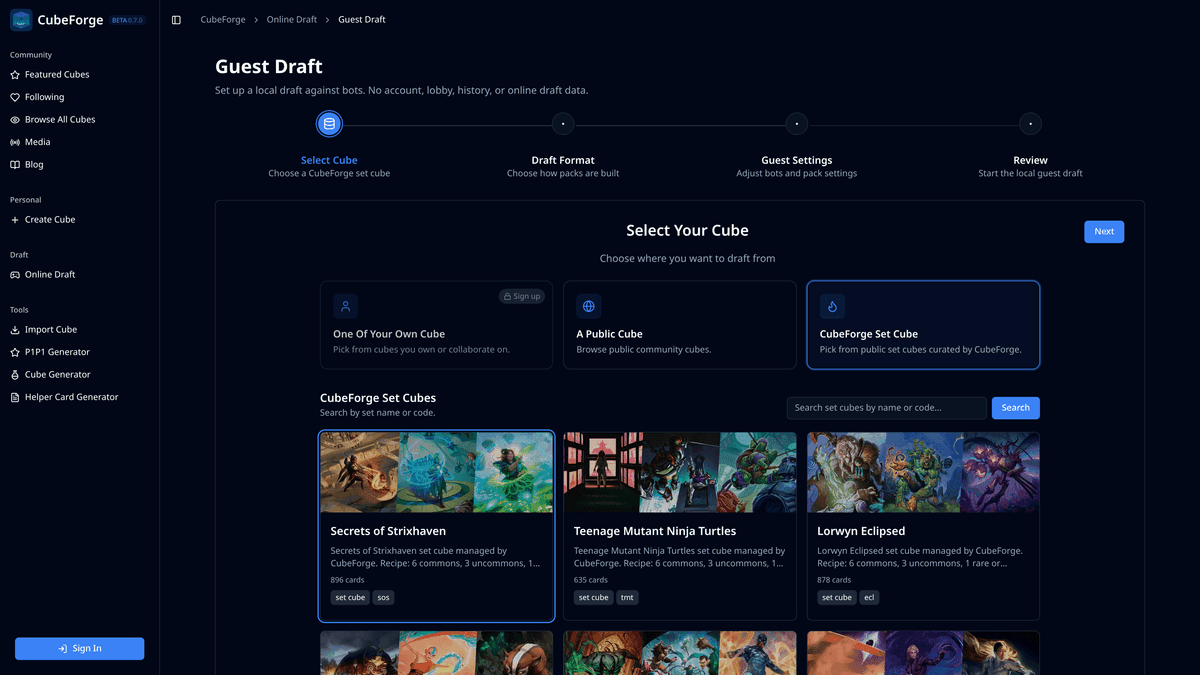
Version 0.7.0 is a major draft-focused release.
The main work in this version is not just a new feature, but a cleaner foundation for drafting on CubeForge. The draft engine has been refactored so the same core pieces can power authenticated online drafts and the new guest draft experience without duplicating the whole system.
This also includes a rebuild of CubeForge set cubes, making them easier to create, maintain, and use for drafts that try to stay close to real Magic set boxes.
🧭 A refactored draft engine
Drafting has been split into more reusable logic, UI, and setup pieces.
This matters because the old draft flow was too tied to the authenticated online draft session. That worked for multiplayer drafts, but it made every new draft mode more expensive to build and harder to keep consistent.
With 0.7.0, the core draft experience is better separated from the online multiplayer session. The goal is simple: when draft UI or draft behavior improves, it should improve across the different draft modes instead of needing the same change in multiple places.
Authenticated drafts are still the full online experience, with lobbies, multiplayer, and persistent session state.
👤 Guest drafting is now available
CubeForge now supports guest drafting.
Guest draft is designed as a lightweight way to try the draft experience without creating an account. It runs in the browser and does not create an online multiplayer session.
That means guest draft is:
- browser-powered
- against bots only
- not multiplayer
- not logged as an online draft session
It is meant for trying the draft interface, drafting public cubes, and drafting CubeForge set cubes quickly. If you want to host a real draft with friends, the authenticated online draft flow is still the right place for that.
📦 CubeForge set cubes have been rebuilt
CubeForge set cubes are no longer just regular community cubes with a special tag.
They now behave like a dedicated draft option, built from set data and kept separate from personal and community cube lists.
The set cube recipe also now tries to better approximate real draft boxes:
- duplicate treatments of the same card are ignored for cube construction
- cards are grouped by rarity
- set cubes use a 6 common / 3 uncommon / 1 rare or mythic ratio
This should make CubeForge set cubes easier to keep updated, easier to add, and more useful when you want to recreate a real Limited environment.
🧹 Set cubes are now treated as their own thing
Because CubeForge set cubes are curated draft environments, they no longer need to appear alongside normal community cubes.
They are now kept out of regular community browsing and shown in draft setup where they belong.
Draft setup also has better set cube browsing, including search and pagination, so finding a specific set should be more practical as the list grows.
✨ Draft setup and landing page polish
This release also includes a round of draft setup and draft landing page polish.
The draft setup review step has been cleaned up, guest setup now follows the same stepper-style flow as the authenticated setup, and the MTG Draft Simulator page has been reworked to explain the draft product more clearly.
The focus is now where it should be: online drafts with friends, drafting public or owned cubes, and using CubeForge set cubes to recreate real set drafts.
If you notice anything off, please open a ticket here: Report a bug. You can also ask me directly in the CubeForge Discord.