
August 25, 2026
Version 0.8.10 - Release Notes
CubeForge 0.8.10 refreshes notifications and following, improves cube navigation, and retires the previous Cube Versions feature.
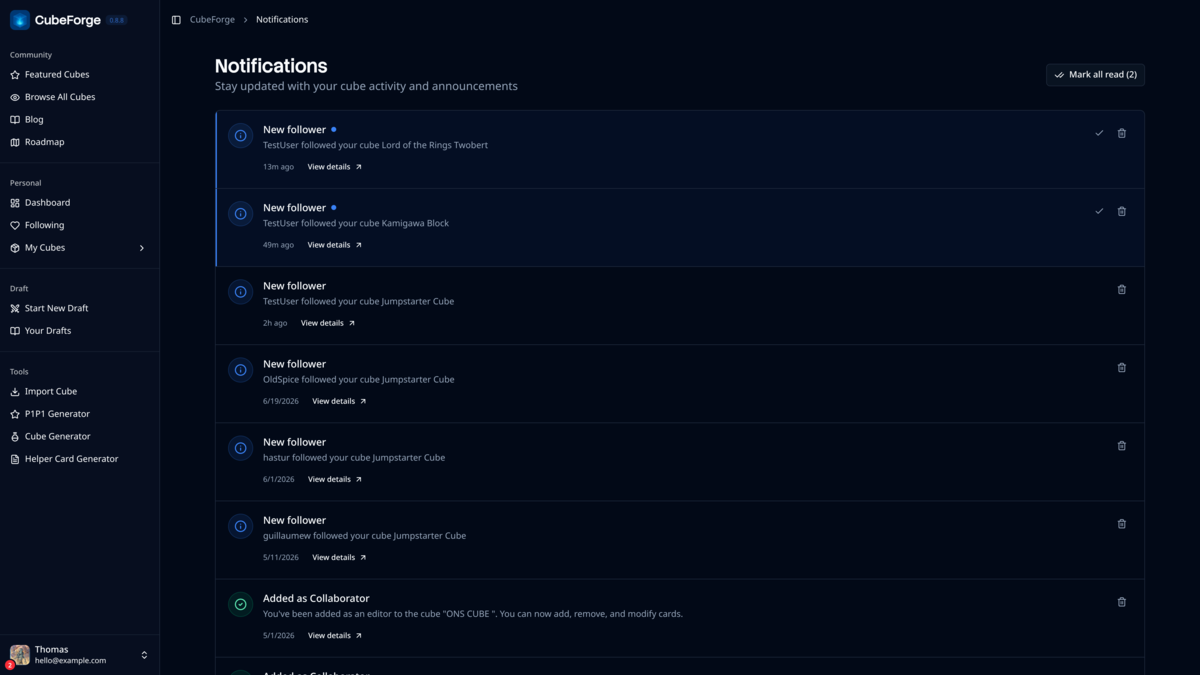
Version 0.8.10 makes it easier to keep up with the cubes you follow and keeps cube navigation clearer throughout CubeForge.
🔔 Notifications where you need them
Notifications have moved from the sidebar into the user menu. Your unread count now appears on your avatar and beside Notifications in the menu, so new activity remains visible without taking up a permanent navigation item.
The Notifications page has also been refreshed with a cleaner activity list, clearer unread states, and more compact actions for opening, marking, or removing each notification.
❤️ A smoother following experience
Following now sits in the Personal section of the sidebar, alongside the cubes and activity connected to your account.
Following or unfollowing a cube now shows a loading state until the action finishes, followed by a confirmation message. Cube update notifications also stay tied to the cube you actually follow.
🔗 Cleaner cube links and breadcrumbs
When a cube has a custom URL, CubeForge now keeps that shorter, readable address more consistently across cube pages, including edit and settings links. Existing links that use a cube's ID continue to work.
Breadcrumbs now wait for the cube name and owner information before appearing, avoiding temporary or incorrect labels while a page loads. When viewing someone else's cube, the breadcrumb correctly leads back to the community rather than My Cubes.
✨ Smaller interface and reliability fixes
Featured cubes now use a quieter star indicator that expands to show its label on hover, both on cube covers and beside the cube's metadata.
Confirmation messages now use a cleaner stacked presentation, and username forms explain the supported characters and 20-character limit before saving. This release also includes smaller reliability fixes for everyday cube editing.
🗂️ Cube Versions has been retired
The previous Cube Versions feature was used by very few cubes and did not provide the clear, dependable safety net it was meant to offer, so it has been retired while a simpler approach is considered.
New versions can no longer be created. Owners of cubes with existing saved versions can continue to view them in a read-only archive until January 2027.
If you find a bug or a card that looks wrong, please report it here or let me know in the CubeForge Discord.