
August 5, 2026
Version 0.8.2 - Release Notes
CubeForge 0.8.2 makes White Papers and cube blog posts safer and easier to write, adds block reordering and draft card previews, and continues localisation across the app.
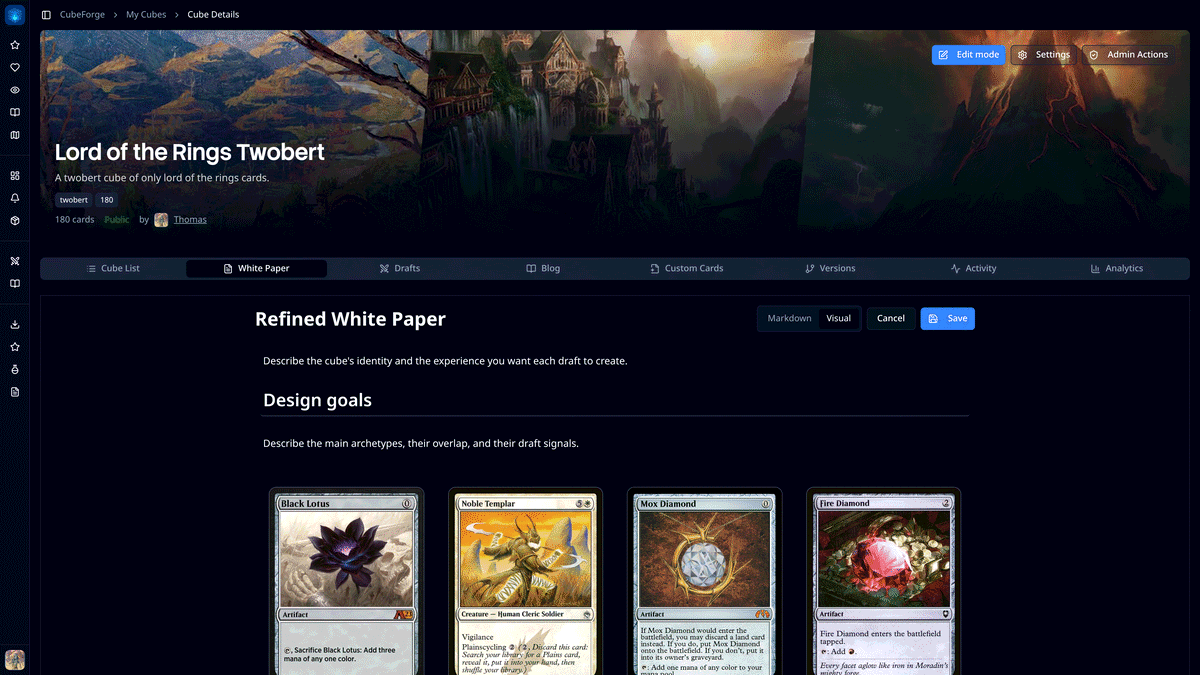
Version 0.8.2 focuses on the writing around a cube: explaining why it exists, recording how it changes, and keeping that work safe while you write.
A cube list shows which cards are included. A good White Paper or blog post gives those choices some context. This release makes both editors much more comfortable to use, alongside a handful of improvements to drafts, localisation, and everyday navigation.
✍️ Safer White Papers and cube blog posts
White Papers and cube blog posts now keep a local draft as you write. If the page closes, the browser refreshes, or saving fails, CubeForge can recover that work when you return.
The editor now shows whether changes are unsaved, stored on the device, recovered, saving, or safely published. It also warns before leaving with changes that have not been saved.
Blank documents stay blank until you are ready to begin. If you would like some structure, there are optional outlines for a cube design document or a cube update, with sections you can adapt rather than placeholder text you first have to remove.
🧱 Reorder blocks in the visual editor
Visual-editor blocks can now be moved directly.
Select a block and use its drag handle to place it somewhere else in the document. A preview follows the pointer and the insertion line shows exactly where the block will land. Keyboard users can move the selected block with Alt+Up and Alt+Down.
Switching between Markdown and Visual mode is safer too. The visual editor works with a structured subset of Markdown; when a document contains syntax that it cannot preserve exactly, CubeForge keeps the document in Markdown and explains the risk before converting it.
🃏 Card previews during a draft
It is now easier to inspect cards without opening the full details window.
Hover over a card in the current pack or in the Your Deck sidebar to see a larger preview.
Cube lists also begin loading the smaller preview image as cards approach the viewport. That makes the first hover feel quicker without eagerly downloading every card image in a large cube.
🔐 Password recovery and smoother loading
The sign-in screen now links to a complete password-reset flow.
Authentication pages and the cube editor also have more accurate loading placeholders, reducing layout jumps while CubeForge restores your session or loads a cube.
🌍 Localisation and interface polish
Guest draft routes now stay in the selected language from setup through the completed draft. Japanese copy across the draft simulator has also received a broader review so it reads more naturally for Magic players.
There are a few smaller interface changes throughout the app:
- foil and etched cards use compact F and E badges in tight card rows while full labels remain in roomier views;
- cube display settings now use the clearer Group identical cards wording, with Group basic lands directly underneath; and
- paginated community pages, the helper-card generator, and the Roadmap now expose cleaner titles and canonical links to search engines.
If you find a bug or a card that looks wrong, please report it here or let me know in the CubeForge Discord.