
October 6, 2026
Version 1.0.1 - Release Notes
CubeForge 1.0.1 connects your CardNexus collection, helps you add printings you already own, and improves cube editing and drafting on mobile.
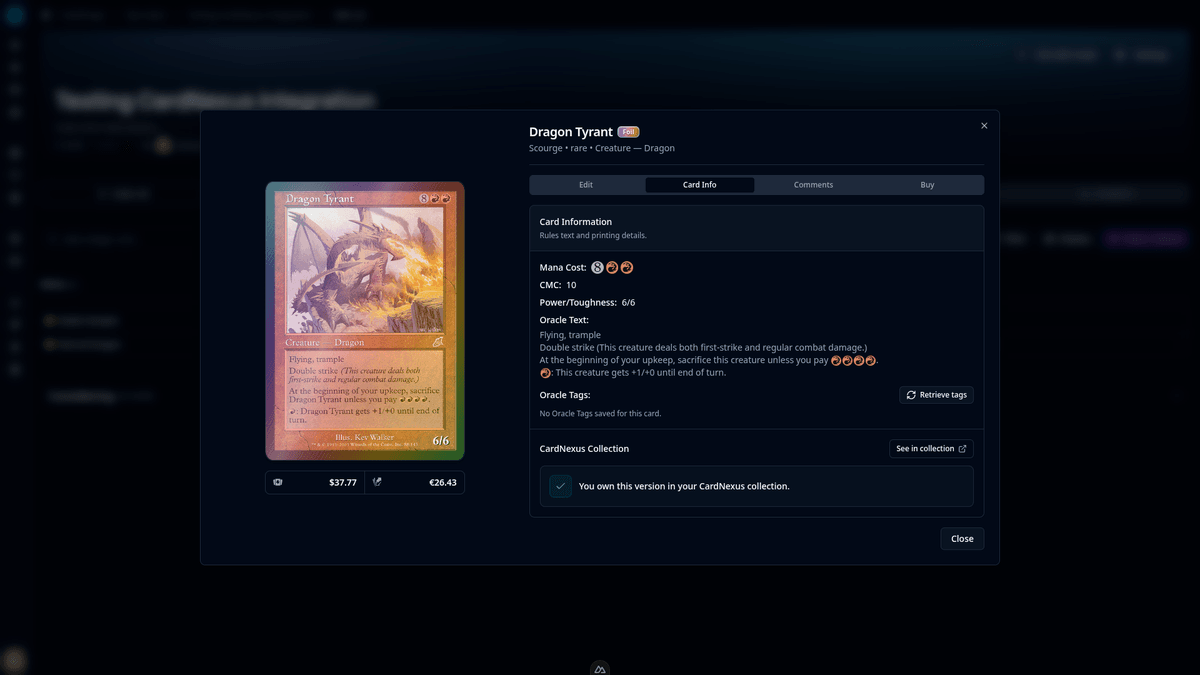
With version 1.0.1, I'm adding a CardNexus integration to help you build cubes with the cards you already own. This update also makes cube editing and drafting more comfortable on smaller screens.
🔗 Your CardNexus collection in CubeForge
You can now link your CardNexus account from Account Settings → Integrations, or start from the Card Info tab in a card's details. Once linked, your collection status updates automatically as you add cards to or change quantities in CardNexus.
CubeForge distinguishes between owning the selected printing and finish, owning the card in another version, and missing the card. Small indicators in the cube list give you that information at a glance, while card details show a clearer status panel and a See in collection link that opens CardNexus in a new tab.
Use Display to show or hide the collection indicators, and Filter to focus on owned versions, other versions, or missing cards. Your collection status is visible only to you as the cube owner; visitors and collaborators do not see it.
For linked accounts, CardNexus replaces the manual Ownership Status controls. Your existing manual statuses are kept and become available again if you disconnect.
🔍 Add the printings you already own
When your account is linked, card search defaults to the new Owned printing preference. It chooses a printing and finish from your collection in the selected card language, falling back to the newest printing when there is no matching owned version. You can still choose another printing preference in search settings.
📱 More comfortable cube editing and drafting on mobile
Cube headers and navigation fit smaller screens more comfortably, and the cube editor keeps its search and list controls easier to reach. On desktop, the toolbar keeps its familiar grouping too.
Draft lobbies put the main actions first, make inviting players easier, and let you collapse draft details when you want more space. During a draft, compact headers and controls leave more room for the pack and your picks.
✨ Smaller fixes and polish
- Public pages load more smoothly, and the draft simulator walkthrough keeps its place as you move between steps.
- Set Cubes now lists newer sets by their release dates, making recent sets easier to find.
- New accounts created with Google use a cleaner username based on the profile name, adding a suffix only when the name is already taken.
If you find a bug or a card that looks wrong, please report it here or let me know in the CubeForge Discord.